
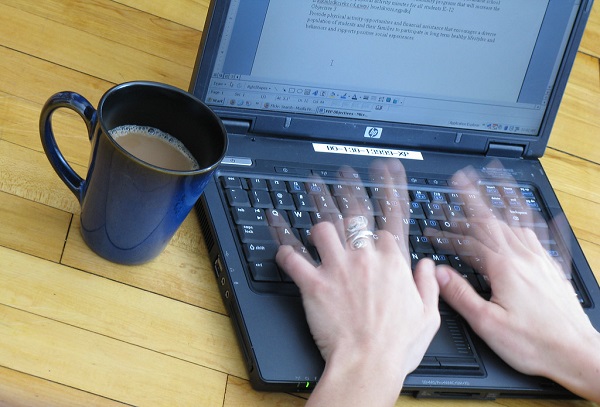
Strong keyboard skills make everyday computer activities easier, faster, and more productive. Whether someone writes emails, prepares assignments, or handles professional documents, typing ability plays an important role. Typing Fast Fingers provides an opportunity to develop better keyboard habits through consistent practice and a structured learning approach. Instead of depending on slow individual keystrokes, learners can gradually improve their rhythm and accuracy. FastFingers focuses on making typing practice accessible to different skill levels. With regular exercises, useful techniques, and measurable progress, anyone can work towards becoming a more confident keyboard user.
Build Better Keyboard Habits Through Regular Practice
Learning to type efficiently requires more than simply pressing keys quickly. Good performance depends on coordination, finger placement, concentration, and familiarity with the keyboard layout. Beginners should first understand where each finger belongs before attempting advanced exercises.
Typing Fast Fingers encourages learners to develop comfortable movements rather than relying on unnecessary hand movements. Correct positioning reduces mistakes and makes longer typing sessions easier to manage. Therefore, practising proper techniques from the beginning can create a strong foundation for future improvement.
Typing Fast Fingers and the Importance of Accuracy
Speed attracts attention, but accuracy determines how useful typing performance really becomes. Someone who types quickly but makes frequent mistakes may spend additional time correcting sentences. Consequently, accuracy should remain an important priority throughout the learning process.
A balanced approach to Typing Fast Fingers helps users concentrate on producing correct words while gradually increasing their pace. Start with simple sentences and familiar vocabulary. Once accuracy becomes consistent, introduce longer passages and more challenging exercises. This gradual progression supports dependable improvement without creating unnecessary pressure.
Finger Placement Creates a Strong Foundation
Correct finger placement helps distribute keyboard movements across both hands. Each finger has a specific working area, which reduces unnecessary stretching and improves coordination. Beginners can start by practising the home row keys before moving towards the upper and lower rows.
Typing Fast Fingers becomes easier to understand when learners follow consistent finger positions. Keep your wrists relaxed, maintain a comfortable sitting posture, and avoid pressing keys too forcefully. Moreover, looking at the screen instead of constantly watching your hands gradually develops keyboard familiarity.
Develop Speed Without Losing Control
Increasing typing speed requires patience and regular training. Trying to reach an impressive words-per-minute score immediately can lead to frustration. Instead, establish a comfortable starting speed and focus on improving it through manageable practice sessions.
With Typing Fast Fingers, learners can approach improvement through repetition and gradual challenges. Spend a few minutes practising common words, punctuation, and complete sentences. Afterwards, review your mistakes and identify difficult letter combinations. This method helps strengthen weak areas while maintaining control over typing movements.
Daily Exercises That Strengthen Typing Skills
A practical routine makes skill development easier to maintain. Rather than completing long sessions occasionally, divide practice into shorter activities throughout the week. Consistency allows your fingers to become familiar with frequently used keyboard combinations.
Consider including these activities in your routine:
- Practise home row keys for five minutes.
- Type common English words without looking down.
- Complete short paragraphs to improve sentence flow.
- Repeat difficult combinations that produce frequent mistakes.
- Measure your speed after completing each practice session.
Typing Fast Fingers can support these activities by encouraging learners to maintain a regular schedule. However, taking short breaks is equally important because tired hands and reduced concentration can affect performance.
Make Learning More Interesting With Free Typing Games
Interactive learning activities can make keyboard practice enjoyable, especially for beginners who struggle with repetitive exercises. Free Typing Games introduce playful challenges that encourage users to recognise letters, respond quickly, and improve coordination. Some activities involve typing falling words, completing timed challenges, or reaching specific accuracy targets. These experiences can create additional motivation while helping learners become familiar with keyboard movements. Although games provide entertainment, users should still focus on correct finger placement and accurate spelling instead of chasing speed alone. Combining enjoyable activities with structured exercises creates a more balanced learning experience.
How FastFingers Supports Different Learning Levels
Every learner starts with a different level of keyboard experience. Some people already understand basic finger placement, while others need additional guidance with individual letters. A flexible learning approach makes it easier to accommodate these differences.
Typing Fast Fingers can be approached through beginner exercises, intermediate challenges, and more demanding typing activities. Beginners should concentrate on letter recognition and simple words. Intermediate users can practise longer sentences, while experienced typists can work on speed consistency and punctuation.
FastFingers provides a suitable learning environment for people interested in strengthening everyday computer skills. Regular evaluation also helps users understand which areas require additional attention.
Common Mistakes That Slow Down Progress
Several habits can prevent learners from achieving consistent results. One common mistake involves using only two fingers instead of developing proper hand coordination. Another problem occurs when users focus entirely on speed and ignore spelling errors.
Typing Fast Fingers practice becomes more productive when learners recognise these problems early. Avoid looking at the keyboard after every keystroke, maintain a relaxed posture, and resist unnecessary rushing. Additionally, practising unfamiliar words can improve flexibility and prepare users for different writing tasks.
Use Typing Skills in Everyday Activities
Improved keyboard ability offers practical advantages beyond training exercises. Students can prepare notes more efficiently, professionals can handle documents comfortably, and writers can focus more attention on developing ideas.
Typing Fast Fingers also supports better digital productivity by reducing the effort required to enter information. Although typing speed varies between individuals, consistent improvement can make everyday computer work more manageable. These skills remain useful across educational, administrative, creative, and professional environments.
Conclusion
Developing strong keyboard abilities requires consistency, patience, and attention to technique. Fast typing becomes more achievable when learners combine accurate finger placement with regular exercises and realistic performance goals. Typing Fast Fingers offers a useful direction for improving speed, coordination, and confidence through continued practice. FastFingers encourages learners to build better habits instead of depending on shortcuts. By identifying mistakes, practising challenging combinations, and tracking personal progress, users can gradually become more efficient typists. Start with achievable targets, remain consistent, and allow your keyboard skills to improve naturally over time.